Local AI Video Upscaling and Sorting vs the Cloud: When the File Should Stay on Your Workstation
A workshop comparison: local Video2X and VideoSorterLocal versus typical cloud services. Privacy, one-time desktop licenses, your own GPU — no universal FPS figures and no thin “X vs Y” pages.
If you are searching for “Video2X vs cloud” or “local AI for video”, you won’t find a farm of comparison pages here. This is a single article from our Dortmund lab about when the file should stay on disk and when a remote service is good enough.
The product facts come from Video2X Ultimate Manager (upscaling, interpolation, FFmpeg, Vulkan/CUDA, RAM buffer) and VideoSorterLocal (frame OCR, local VLM, batch undo). For photos and documents, see AI File Classifier.
1. Your needs, not a marketing scoreboard
| Question | Local workstation (this lab) | Typical cloud service |
|---|---|---|
| Where is the file during inference? | On your NVMe drive / in RAM | On the vendor’s server |
| Billing | One-time desktop license | Subscription or per-minute / per-token fees |
| Network | Works offline once models are installed | Requires an account and an internet connection |
| Telemetry | None in these tools | Usually logs, accounts, quotas |
| Quality / FPS | Depends on your GPU and source — I measure on my own hardware and don’t publish a single “RTX” number | Depends on queue and plan limits |
I don’t rank cloud brands by name using made-up benchmarks. The difference I can back up with the product pages is where your data goes and whether you pay a subscription.
2. Video2X: when local upscaling makes sense
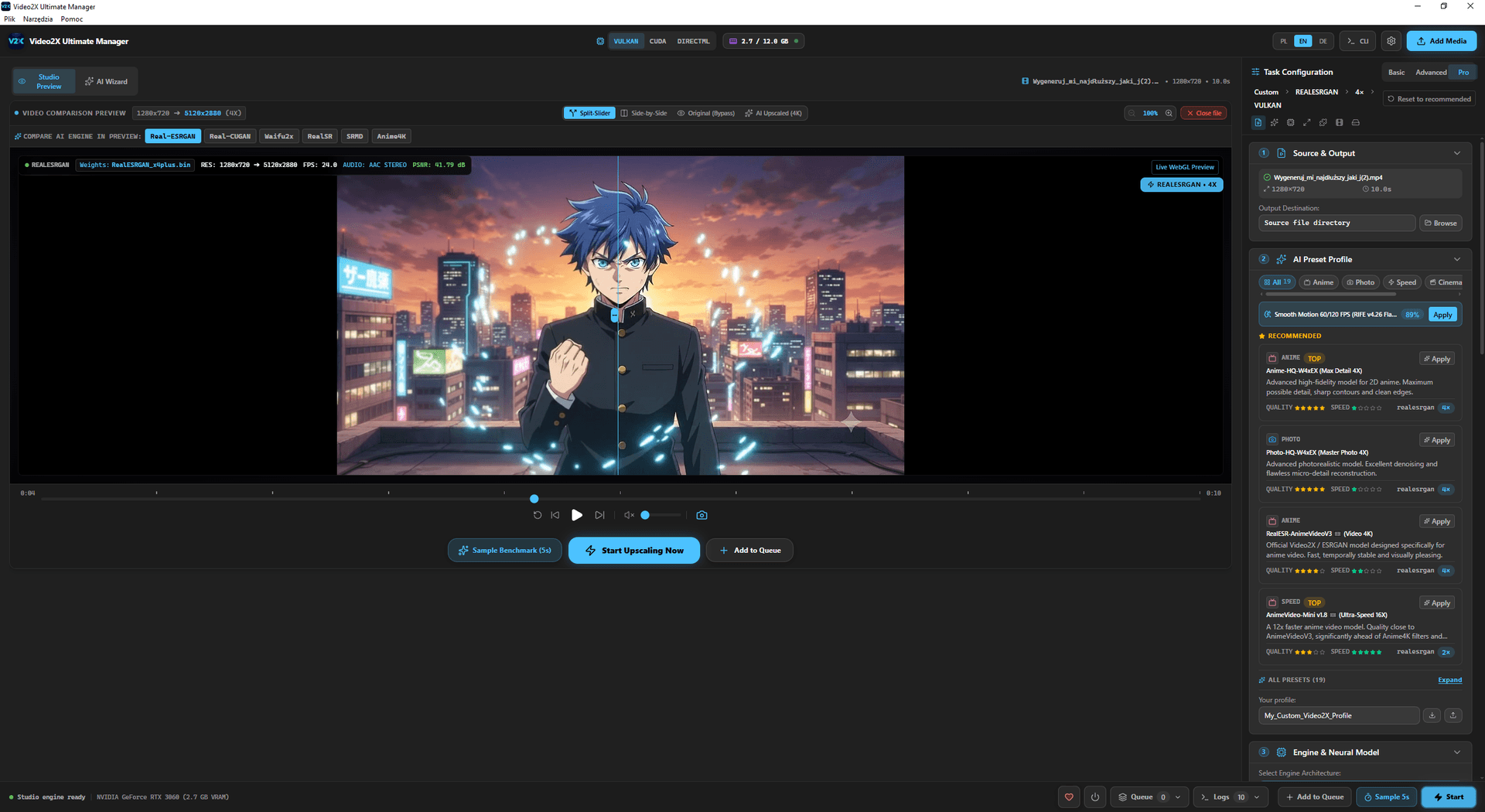
Video2X Ultimate Manager combines offline models, frame interpolation and FFmpeg export in a single Tauri/Rust app. The in-memory frame buffer (ImDisk on Windows, RAMDisk on macOS, RAMCache on Linux) keeps millions of temporary PNG frames off your SSD — that is a documented feature, not a “10× faster than service X” claim.
I keep the file local when:
- the material is confidential (client work, family archives, pre-broadcast footage);
- the model pack should stay on the machine, with no re-upload every time I change a preset;
- I want to control Vulkan/CUDA acceleration on my own desk instead of waiting for a GPU slot in someone else’s queue.
The cloud still wins if you don’t have a GPU with enough VRAM and just need to process one short clip without installing the app (a 1.8 GB download) plus 4 GB of engines and model weights.
Release notes and limitations (output quality depends on the source): Video2X Ultimate Manager v1.0.
Video2X Ultimate Manager interface — local models and RAM buffer
3. VideoSorterLocal: organizing footage without uploading it
The sorter does not upscale frames. It categorizes, tags and moves files based on file names, metadata, frame OCR and an optional local VLM (Ollama / LM Studio). Batch undo is there so that a flawed taxonomy can’t wreck your library.
Cloud “smart albums” require an upload. Here, the recording stays in the folder you choose. Release notes: VideoSorterLocal 4.13.2.
4. What you won’t find here (on purpose)
- Separate pages such as /compare/video2x-vs-topaz/ — without Search Console demand data and first-hand measurements, they would just be doorway pages.
- Universal FPS, dB or CFD percentage figures.
- Review stars or a priceValidUntil field in the structured data (schema).
Purchases go through the contact form, not a checkout.
5. 3D printing (a separate area, same workshop)
Local AI is the software side. The other pillar is our 3D lab in Dortmund: resin sculptures, enclosures, StealthBurner. Catalog: 3D Lab and gallery. The 2D→STL pipeline: AI-driven 3D model generation.
If you need a print locally in North Rhine-Westphalia (NRW), select “3D print” in the contact form. Pickup or shipping is arranged by email — I don’t list opening hours because I don’t run a walk-in shop.